


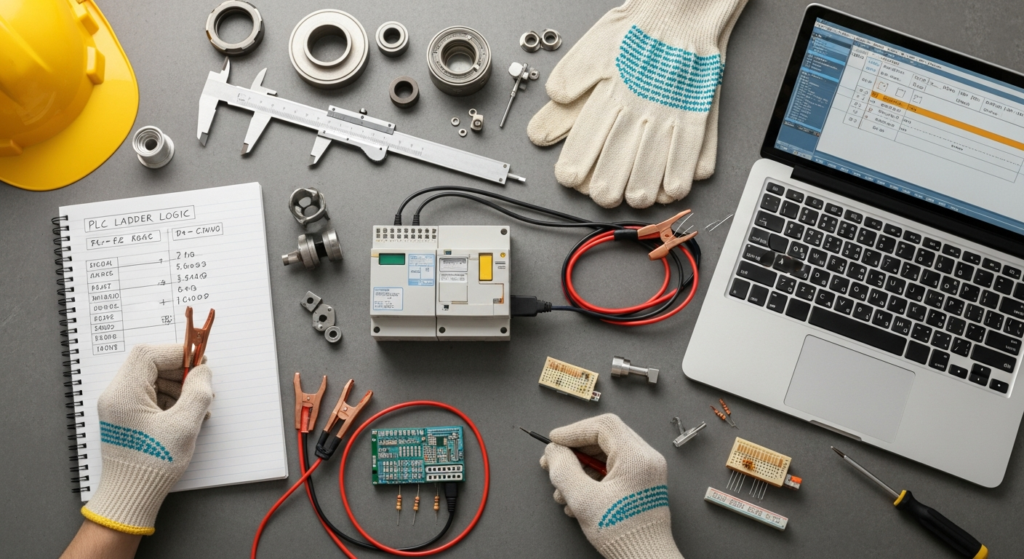
What is a PLC? The Foundation of Industrial Automation
A Programmable Logic Controller (PLC) is a ruggedized, industrial-grade digital computer that has been adapted for the control of manufacturing processes, such such as assembly lines, robotic devices, or any activity that requires high reliability, ease of programming, and process fault diagnosis. Unlike general-purpose computers, PLCs are designed to operate in harsh industrial environments with extreme temperatures, humidity, and vibrations. Their primary function is to monitor inputs from various sensors and switches, execute a user-defined control program, and then operate output devices like motors, valves, lights, and other actuators.
The concept of the PLC emerged in the late 1960s as a replacement for complex, inflexible, and cumbersome relay-based control systems. Before PLCs, industrial control was achieved through hundreds or even thousands of electro-mechanical relays wired together in a specific sequence to perform a desired operation. This method was notoriously difficult to troubleshoot, modify, and maintain. A change in the control logic often meant extensive rewiring, leading to significant downtime and cost.
The advent of the PLC revolutionized industrial control by introducing a programmable solution. Instead of physical wiring, control logic could be written in software, stored in the PLC’s memory, and easily modified without changing hardware. This innovation dramatically improved flexibility, reduced maintenance time, and made automation more accessible and efficient. Early PLCs were primarily programmed using a language called Ladder Diagram, which visually mimicked the relay logic diagrams that engineers were already familiar with, easing the transition from hard-wired to programmable control.
Today, PLCs are the backbone of virtually every automated industry, from automotive and aerospace to food and beverage, pharmaceuticals, and power generation. They come in various forms, including compact PLCs for smaller applications, modular PLCs that allow for expandable I/O (Input/Output) and communication capabilities, and rack-mounted PLCs for large-scale, complex systems. Regardless of their physical form, their core function remains the same: to provide precise, reliable, and programmable control over industrial processes, driving the efficiency and quality that modern manufacturing demands.
Why PLC Programming is Essential in Modern Manufacturing

The relevance of PLC programming basics in modern manufacturing cannot be overstated. As industries continue to embrace automation and digital transformation, the ability to understand, program, and troubleshoot PLCs becomes a critical skill set. PLCs are not just components; they are the intelligent core orchestrating complex operations, ensuring that production lines run smoothly, safely, and efficiently.
One of the foremost reasons for the PLC’s indispensability is its unparalleled contribution to manufacturing efficiency. By automating repetitive tasks and precise movements, PLCs drastically reduce cycle times and increase throughput. This directly translates to higher production volumes and lower per-unit costs. Furthermore, PLCs enable a level of precision and repeatability that is unattainable through manual control. This precision is vital in industries where tight tolerances are critical, ensuring consistent product quality and reducing defects. For example, in the production of high-precision components, a PLC can control robotic arms to place parts with micron-level accuracy, or manage the exact temperature profile in a curing oven, ensuring optimal material properties.
PLCs also play a pivotal role in implementing effective Manufacturing Waste Reduction Strategies. By precisely controlling processes, PLCs minimize material scrap, optimize energy consumption, and reduce downtime due to errors or manual interventions. For instance, a PLC can monitor sensor data to ensure that raw materials are dispensed in exact quantities, preventing overuse. It can also manage machine run times, turning off equipment when not in use, thereby conserving energy. The ability to quickly diagnose and rectify issues through PLC programming also minimizes production delays and the waste associated with prolonged stoppages. This proactive approach to resource management is fundamental to sustainable and profitable manufacturing operations.
Beyond efficiency and waste reduction, PLCs enhance operational flexibility. In a market demanding customized products and rapid production changes, PLCs allow manufacturers to quickly adapt their production lines. Reprogramming a PLC for a new product variant or process adjustment is significantly faster and less disruptive than retooling or rewiring traditional control systems. This agility is crucial for businesses aiming to stay competitive and responsive to evolving consumer demands.
Safety is another paramount concern in manufacturing, and PLCs contribute significantly to creating safer work environments. They can be programmed to monitor safety interlocks, emergency stop buttons, and other safety devices, initiating immediate shutdowns or protective measures when hazardous conditions are detected. Specialized safety PLCs are designed with redundant hardware and certified software to meet stringent international safety standards, providing an additional layer of protection for personnel and equipment.
As we approach 2026, the demand for professionals proficient in PLC programming will only intensify. The continued integration of advanced technologies like the Industrial Internet of Things (IIoT), Artificial Intelligence (AI), and robotics into manufacturing processes means PLCs will act as the crucial interface between these sophisticated systems and the physical world. Understanding PLC programming is therefore not just about controlling machines; it’s about understanding the language of industrial automation and enabling the smart factories of the future.
Understanding PLC Hardware and Architecture
At the heart of every PLC is the Central Processing Unit (CPU). This is the “brain” of the PLC, responsible for executing the control program, managing communications, and performing internal diagnostics. The CPU contains a microprocessor that reads inputs, evaluates the program logic, and updates outputs based on the instructions. The speed and processing power of the CPU determine how quickly the PLC can respond to changes in the process and execute complex algorithms.
Closely associated with the CPU is the Memory. PLC memory is typically divided into several sections:
- Program Memory: Stores the user-written control program (e.g., ladder logic, structured text).
- Data Memory: Stores operational data such as input/output status, timer and counter values, and variable data used by the program.
- System Memory: Contains the operating system and firmware necessary for the PLC’s internal operations.
Modern PLCs often use non-volatile memory (like Flash memory) to retain the program and data even when power is lost, ensuring that the control logic is preserved.
The PLC interacts with the outside world through its Input/Output (I/O) Modules. These modules are the interface between the PLC’s internal logic and the physical sensors and actuators in the industrial environment. I/O modules can be broadly categorized into:
- Digital (Discrete) I/O: Handles ON/OFF signals. Digital input modules receive signals from devices like pushbuttons, limit switches, and proximity sensors. Digital output modules send ON/OFF signals to devices such as motor starters, solenoid valves, and indicator lights.
- Analog I/O: Handles continuous, variable signals. Analog input modules receive signals representing physical quantities like temperature (e.g., from thermocouples/RTDs), pressure, flow, or level (typically 4-20mA or 0-10V). Analog output modules send variable signals to control devices like variable frequency drives (VFDs) for motor speed control or proportional valves.
The choice of I/O modules depends on the specific requirements of the application, including the number and type of sensors and actuators to be controlled.
A stable Power Supply unit is crucial for the operation of the PLC. It converts the incoming AC line voltage (e.g., 120V AC or 240V AC) into the regulated DC voltage (typically 24V DC or 5V DC) required by the PLC’s internal electronics and sometimes for powering external sensors.
Finally, Communication Modules facilitate data exchange between the PLC and other devices, such as Human-Machine Interfaces (HMIs), Supervisory Control and Data Acquisition (SCADA) systems, other PLCs, or enterprise-level manufacturing execution systems (MES). Common communication protocols include Ethernet/IP, PROFINET, Modbus TCP/IP, and various serial protocols. Robust communication capabilities are increasingly important for integrating PLCs into wider industrial networks and enabling features like remote monitoring and control, which are foundational to Industry 4.0 initiatives.
Understanding this architecture helps in selecting the appropriate PLC for a given task, designing efficient control systems, and troubleshooting potential issues. The interaction between these components allows the PLC to be the responsive and reliable controller that forms the bedrock of automated manufacturing.
Diving into PLC Programming Languages and Standards
One of the most critical aspects of PLC programming basics is understanding the languages used to create the control logic. Unlike general-purpose programming, PLC programming adheres to specific standards designed for industrial control applications. The international standard that defines the programming languages for PLCs is IEC 61131-3. This standard specifies five primary programming languages, offering engineers flexibility to choose the most suitable language for a particular task or their personal preference.
The five languages defined by IEC 61131-3 are:
-
Ladder Diagram (LD):
This is arguably the most widely used and recognized PLC programming language, especially for beginners. Ladder Diagram is a graphical language that visually mimics the electrical relay logic diagrams used in older control systems. It’s structured with two vertical rails representing power lines, and horizontal “rungs” containing contacts (inputs) and coils (outputs). When the conditions on a rung are met (e.g., contacts are closed), power “flows” through to activate the coil. Its intuitive, graphical nature makes it easy to visualize the flow of logic and is excellent for sequential and interlocking control. Many legacy systems and simpler discrete manufacturing tasks still rely heavily on LD.
-
Structured Text (ST):
Structured Text is a high-level, text-based programming language that resembles Pascal or ‘C’. It is ideal for implementing complex algorithms, mathematical calculations, data manipulation, and control strategies that are difficult or cumbersome to express in graphical languages. ST offers powerful constructs like IF-THEN-ELSE statements, FOR and WHILE loops, and functions, making it highly efficient for advanced control. As manufacturing processes become more complex and require sophisticated data handling, ST is gaining popularity, particularly for tasks like PID control, complex motion profiles, or data logging.
-
Function Block Diagram (FBD):
FBD is another graphical programming language that represents control logic as a network of interconnected function blocks. Each function block performs a specific operation (e.g., AND, OR, Timer, Counter, PID controller, mathematical operations). These blocks have inputs and outputs, and by connecting them, engineers can build complex control systems in a clear, flow-chart-like manner. FBD is highly reusable, as pre-defined function blocks can be saved and incorporated into multiple projects, promoting modularity and reducing development time. It’s particularly useful for process control applications where a large number of regulatory loops are involved.
-
Instruction List (IL):
Instruction List is a low-level, text-based language that resembles assembly language. It consists of a series of instructions, each performing a single operation (e.g., LOAD, AND, STORE). While powerful and efficient for very specific, optimized tasks, its low-level nature makes it less intuitive and harder to read and debug compared to other languages. As such, IL is less commonly used in modern PLC programming, especially for large projects, although some legacy systems or highly performance-critical sections of code might still utilize it.
-
Sequential Function Chart (SFC):
SFC is a graphical language designed specifically for programming sequential control processes. It breaks down a process into a series of steps, transitions, and alternative or parallel sequences. Each step represents a distinct phase of the operation, and transitions define the conditions that must be met to move from one step to the next. SFC is excellent for visualizing and managing complex, multi-state processes, such as batch processing or machine startup/shutdown sequences. It helps organize the control logic in a structured and easy-to-follow manner, making it easier to design, debug, and maintain sequential operations.
Many modern PLC programming environments, such as Mitsubishi’s MELSOFT GX Works, support all or a combination of these IEC 61131-3 languages, allowing programmers to choose the most appropriate tool for each part of their control application. Often, a single project might utilize multiple languages, for example, using SFC for overall sequence control, LD for discrete interlocking, and ST for complex calculations. Proficiency in these languages forms the cornerstone of effective PLC programming and enables engineers to design robust and efficient automation solutions for the diverse challenges of manufacturing in 2026.
The PLC Programming Lifecycle: From Concept to Commissioning
Developing a robust and efficient PLC program is a structured process that goes far beyond simply writing lines of code. It involves a systematic approach, often referred to as the PLC programming lifecycle, which ensures that the automated system meets all requirements, operates reliably, and is maintainable. Understanding this lifecycle is a crucial part of mastering PLC programming basics.
-
Requirements Gathering and Design:
The lifecycle begins with a thorough understanding of the process to be automated. This involves gathering detailed requirements from stakeholders, including production managers, operators, and maintenance personnel. Key questions include: What is the desired outcome? What inputs are available? What outputs need to be controlled? What are the safety considerations, cycle times, and operational modes? Based on these requirements, engineers develop a functional design, often using tools like flowcharts, state diagrams, and sequence of operation documents. This design phase is critical for defining the control strategy and lays the groundwork for the entire project. It’s here that Lean Manufacturing Principles Explained come into play, as the design should aim to eliminate waste, optimize flow, and maximize value from the outset.
-
Hardware Selection and Configuration:
Once the control strategy is defined, the appropriate PLC hardware must be selected. This includes choosing the right PLC CPU, determining the number and type of I/O modules (digital, analog, high-speed counters), selecting communication modules, and specifying peripheral devices like sensors, actuators, and HMIs. The physical layout and wiring diagrams are also developed during this phase. This step is vital for ensuring the chosen hardware can meet the performance, reliability, and expandability needs of the application.
-
Programming (Coding):
With the hardware selected and the control strategy designed, the actual programming begins. Programmers write the control logic using one or more of the IEC 61131-3 languages (Ladder Diagram, Structured Text, Function Block Diagram, etc.). This phase involves breaking down the overall control problem into smaller, manageable subroutines or functions, implementing error handling routines, and ensuring that the code is structured, well-commented, and adheres to established programming standards. Adherence to modularity and clear documentation is emphasized to facilitate future maintenance and troubleshooting.
-
Simulation and Offline Testing:
Before deploying the program to the physical PLC, it undergoes rigorous simulation and offline testing. Many PLC programming software packages include simulation tools that allow programmers to run their code virtually, simulate input changes, and observe output responses without the need for actual hardware. This step helps identify and rectify logic errors, timing issues, and potential bugs early in the development cycle, saving significant time and resources during commissioning.
-
Deployment and Commissioning:
Once the program has been thoroughly tested offline, it is uploaded to the physical PLC hardware. The commissioning phase involves connecting all the sensors and actuators, powering up the system, and performing on-site testing. This step often includes fine-tuning parameters (e.g., PID loop settings, timer values), verifying safety interlocks, and ensuring that the entire system operates as intended under various conditions. Commissioning is typically a collaborative effort involving programmers, electricians, mechanical engineers, and operators.
-
Documentation:
Throughout the lifecycle, and especially after commissioning, comprehensive documentation is essential. This includes detailed program comments, I/O lists, network configurations, hardware specifications, operational manuals, and troubleshooting guides. Good documentation is invaluable for future maintenance, upgrades, and for training new personnel. It ensures that the system’s logic and operation can be understood and supported over its entire lifespan.
-
Maintenance and Optimization:
The lifecycle doesn’t end after commissioning. Industrial processes are dynamic, and requirements can change. PLCs require ongoing maintenance, including routine backups, minor program modifications, and troubleshooting. Furthermore, data collected from the automated system can be analyzed to identify opportunities for process optimization, further enhancing efficiency, reducing energy consumption, or improving product quality. This continuous improvement mindset aligns perfectly with the principles of Lean Manufacturing, ensuring the automated system remains a valuable asset for years to come, well into 2026 and beyond.
Each stage of the PLC programming lifecycle is interdependent, and careful attention to detail at every step is crucial for the successful implementation and long-term performance of any automated system.
Best Practices and Advanced Concepts in PLC Programming
Moving beyond the foundational PLC programming basics, embracing best practices and understanding advanced concepts can significantly elevate the quality, reliability, and maintainability of industrial automation systems. As manufacturing processes become more complex and interconnected, these principles are critical for developing future-proof solutions, especially as we look towards the technological landscape of 2026.
Modularity and Structured Programming
One of the most important best practices is to adopt a modular and structured programming approach. Instead of writing one monolithic block of code, break down the control logic into smaller, independent, and reusable functions, subroutines, or function blocks. For example, a complex machine might have separate modules for motor control, valve sequences, safety interlocks, and alarm handling. This approach offers several advantages:
- Easier Troubleshooting: Isolating problems to specific modules simplifies debugging.
- Improved Readability: Smaller, focused code segments are easier to understand.
- Code Reusability: Modules can be reused across different projects, saving development time and ensuring consistency.
- Scalability: Adding new features or modifying existing ones is less disruptive.
Utilizing user-defined function blocks (UDFBs) or program organization units (POUs) within the IEC 611131-3 standard is key to achieving this modularity.
Comprehensive Documentation and Comments
Well-documented code is invaluable. Every line of code, every variable, and every function should have clear, concise comments explaining its purpose, functionality, and any specific considerations. Beyond in-code comments, external documentation such as detailed I/O maps, control narratives, process flowcharts, and hardware configuration guides are essential. This ensures that anyone, from a maintenance technician to another programmer, can quickly understand and troubleshoot the system without extensive prior knowledge. Lack of documentation is a common pitfall that can lead to significant downtime and cost in the long run.
Robust Error Handling and Fault Management
Industrial systems are rarely perfect, and faults can occur due to sensor failures, actuator malfunctions, communication errors, or unexpected process conditions. Effective PLC programming includes robust error handling routines. This means programming the PLC to detect faults, provide clear diagnostic messages (e.g., on an HMI), and implement appropriate recovery or shutdown procedures. For instance, if a critical sensor fails, the PLC should be programmed to safely stop the affected part of the process and alert operators, preventing potential damage or safety hazards. Implementing alarm management strategies and logging historical fault data are also crucial for predictive maintenance and continuous improvement.
Prioritizing Safety Considerations
Safety must be at the forefront of all PLC programming. While general-purpose PLCs can handle basic safety functions, critical applications often require dedicated Safety PLCs. These specialized controllers are designed with redundant hardware, self-diagnostics, and certified software to meet stringent international safety standards (e.g., IEC 61508, ISO 13849). Programming safety PLCs involves adhering to specific safety programming guidelines and understanding concepts like safety integrity levels (SIL) or performance levels (PL). Integrating safety logic correctly ensures the protection of personnel, equipment, and the environment, a paramount concern in all manufacturing operations.
Networking and Communication Protocols
Modern manufacturing environments are highly interconnected. PLCs rarely operate in isolation; they communicate with HMIs, SCADA systems, other PLCs, robots, and higher-level enterprise systems. Understanding common industrial communication protocols like Ethernet/IP, PROFINET, Modbus TCP/IP, and OPC UA is therefore essential. Effective network configuration and data exchange programming enable seamless data flow, distributed control, and integration into the broader Industrial Internet of Things (IIoT) ecosystem. This connectivity is vital for data-driven decision-making, remote monitoring, and optimizing overall plant performance.
HMI/SCADA Integration
Human-Machine Interfaces (HMIs) and Supervisory Control and Data Acquisition (SCADA) systems provide the visual interface for operators to monitor and control the automated process. PLC programmers often work closely with HMI/SCADA developers to define data tags, alarm conditions, and control points that will be displayed and manipulated on the operator interface. Ensuring clear, intuitive HMI screens and responsive SCADA control is crucial for efficient operation and quick fault diagnosis. The ability of a PLC to seamlessly integrate with these systems is a testament to its versatility and power.
Connecting to Materials Science in Manufacturing
While often seen as separate disciplines, the principles of Materials Science In Manufacturing are deeply intertwined with advanced PLC programming. For example, in processes involving precise material handling, heat treatment, or composite lay-up, PLCs are programmed to control parameters like temperature, pressure, flow rates, and positioning with extreme accuracy. Understanding the material properties (e.g., thermal expansion, curing times, viscosity) allows the programmer to design control loops that optimize material processing, minimize waste, and ensure the final product meets specific material specifications. Advanced PLC programming can implement sophisticated algorithms that compensate for material variations or environmental changes, further enhancing product quality and process stability.
By integrating these best practices and understanding these advanced concepts, PLC programmers can develop highly efficient, reliable, safe, and maintainable automation solutions that drive productivity and innovation in manufacturing, preparing industries for the challenges and opportunities that lie ahead in 2026.
Frequently Asked Questions
What is the easiest PLC programming language for beginners?▾
How long does it take to learn PLC programming basics?▾
Can I learn PLC programming without physical hardware?▾
What’s the difference between a PLC and a microcontroller?▾
Are PLCs still relevant with the rise of IIoT?▾
What career opportunities exist for PLC programmers in 2026?▾
Recommended Resources
Explore Soft Skills Employers Look For In 2026 for additional insights.
For more on PLC programming basics, see Surrogacy Process Explained on Protect Families Protect Choices.